Blog · Exchange guide · updated 2026-09-25
Connect Interactive Brokers to TensorTrader with an OAuth kit
Generate the IBKR OAuth kit in TensorTrader, register it with Interactive Brokers, paste back your access token and paper (DU) account, and route TradingView alerts to US stocks and ETFs.
A broker, not a crypto exchange
Interactive Brokers (IBKR) connects through IBKR's hosted Client Portal API with OAuth 1.0a. There is no API key and secret to copy from a settings page. You never give TensorTrader your IBKR password, your TWS login or a local gateway address.
Instead, TensorTrader generates an OAuth kit for you: a 9-letter Consumer Key plus signing and encryption key files. You register that kit with IBKR, and IBKR gives you an access token and token secret, which you paste back into TensorTrader. It takes longer than a crypto exchange, because IBKR can take hours to activate a new consumer, but you only do it once.
At a glance
- status
- Live-ready, paper first
- type
- CEX
- markets
- spot
- venue max leverage
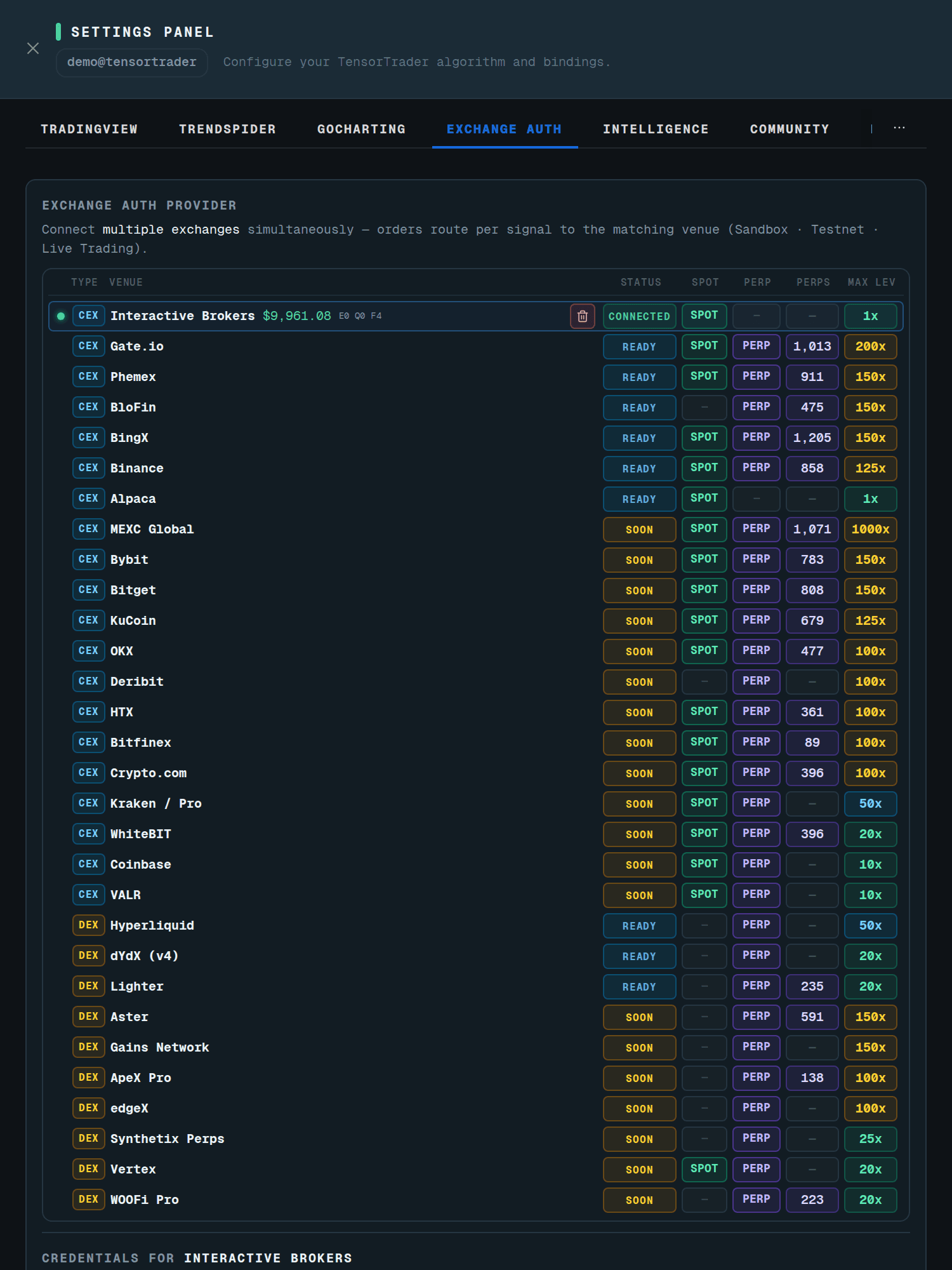
- 1x
- credential
- OAuth 1.0a kit: Consumer Key + access token + token secret + account ID
Step 1: generate the kit in TensorTrader
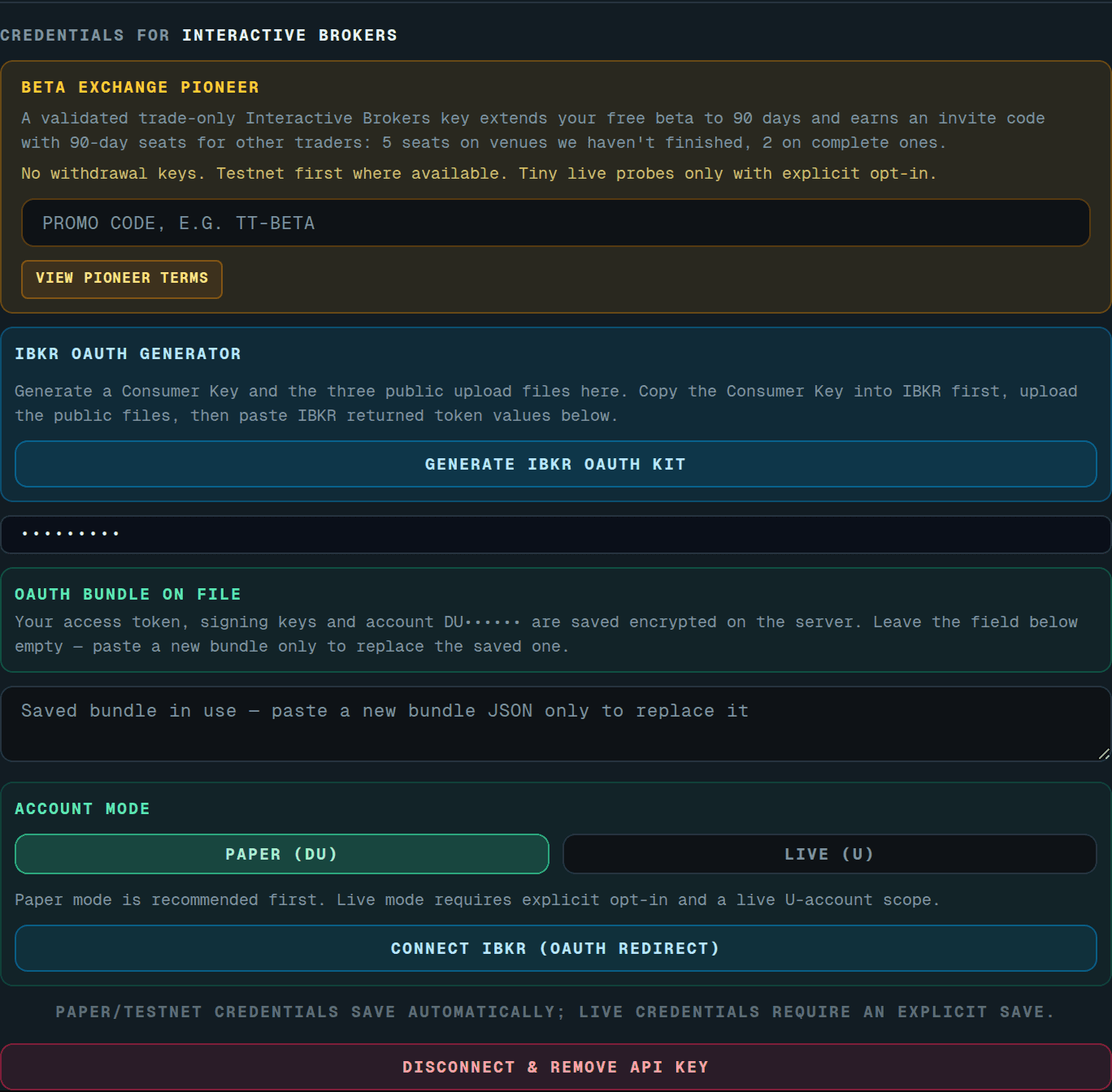
Generating a second kit restarts IBKR's activation clock, and the panel warns you before it does.
- 1Open Settings → Exchange Auth and pick Interactive Brokers.
- 2Keep the mode on Paper (DU). Live (U) accounts require an explicit opt-in later.
- 3Press Generate IBKR OAuth Kit. TensorTrader creates a Consumer Key and fresh RSA keys. The private halves stay in your encrypted bundle.
- 4Download the three files: Signature PEM, Encryption PEM and DH Params.
Step 2: register it with Interactive Brokers
- 1Sign in to IBKR and open its OAuth portal for registering a consumer.
- 2Register the Consumer Key TensorTrader showed you.
- 3Upload the Signature PEM, Encryption PEM and DH Params files.
- 4IBKR issues an Access Token and an Access Token Secret. Copy both.
- 5Note your paper account ID. It starts with DU (for example DU123456).
- never
- Your IBKR password · TWS credentials · A live U… account on the first run
Step 3: paste back and verify
- 1Back in Exchange Auth, fill in the Consumer Key, Access Token, Access Token Secret and Account ID.
- 2Press Build & Fill OAuth Bundle. TensorTrader saves the bundle and verifies it against IBKR.
- 3If IBKR has not finished activating the consumer, the status reads "pending propagation". Do NOT generate a new key. The panel retries on its own every five minutes and shows a countdown.
Paper, live and the session
Accounts that start with DU are paper and accounts that start with U are live. Saving a U account without the live opt-in is refused. Once connected, TensorTrader keeps the IBKR session alive with a keepalive every 60 seconds and re-authenticates on its own if IBKR drops it. Only one TensorTrader process ever owns your IBKR session.
IBKR sometimes asks for confirmation before accepting an order (a reply handshake). TensorTrader answers the prompts it understands and fails closed on the rest. A "no market data" prompt is only confirmed on paper accounts; live accounts stop instead.
Leverage on IBKR is routed, not borrowed
Your IBKR account always trades at 1x. When an alert asks for more, TensorTrader buys a leveraged ETF instead of using margin. A 3x long on QQQ becomes TQQQ. A short becomes an inverse ETF even at 1x: a 1x SPY short becomes SH. A 1x long stays on the stock itself. The trade records the underlying symbol and the effective leverage, so your dashboard still reads "QQQ 3x".
The tradable list is a curated set of US stocks and ETFs plus four Paxos cryptos (BTC, ETH, LTC, BCH). Stock market orders outside regular trading hours are queued and sent at the open. Crypto trades 24/7, and protective stop and limit orders are allowed outside regular hours.
Your first Interactive Brokers order from the Chrome extension
Orders reach Interactive Brokers through TradingView alerts. The TensorTrader extension builds those alerts for you: open TradingView, open the extension side panel, and use the Batch Create tab. Pick this Interactive Brokers key in step 1 · Exchanges, type your tokens, choose an indicator or strategy from your TradingView favorites, review the plan and press Create.
When an alert fires, TensorTrader sizes the order, clamps leverage to the lower of your policy and the venue maximum, places it on your key and shows the fill on your dashboard.
Beta Pioneer: 90 days, plus seats to share
A verified trade-only Interactive Brokers key makes you a Beta Pioneer: your free beta runs 90 days instead of 30, and you get an invite code with 90-day seats for other traders. The code has 5 seats while we are still finishing a venue, and 2 once it is complete.
Find the code under Settings → Community and use "Copy invite link". Each seat gives a new account the same 90-day beta.